01 / Estimating + Sales
Estimating
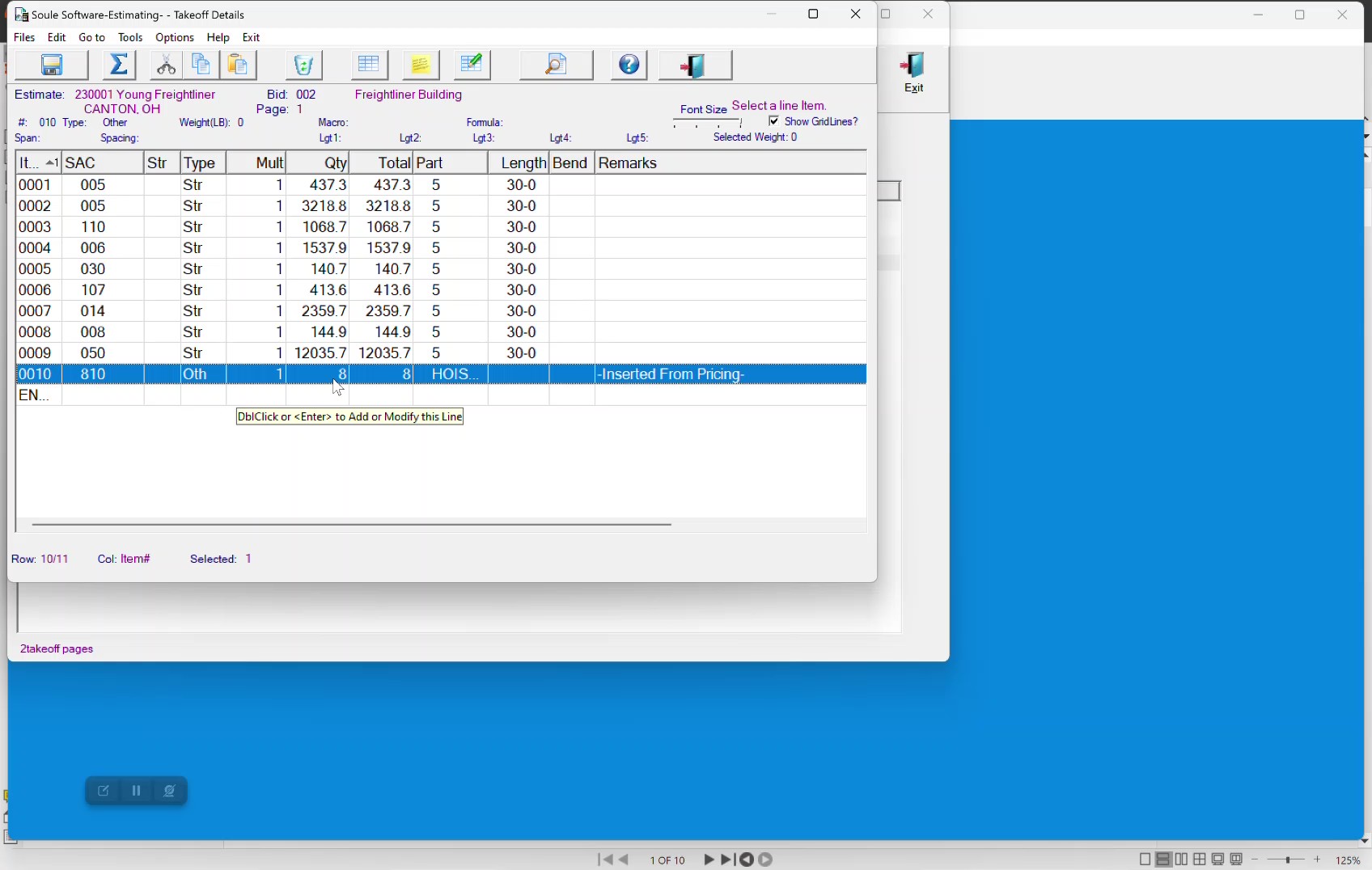
Enter a rebar takeoff and price it directly with no extra data entry. Automated estimated vs. actual weight and revenue reports follow the project from first bid through final close-out.
Key Features
Everything an estimator actually needs.
Customizable macros
Speed up base bids and change orders with your shop's own shortcuts.
Multi-class bid items
Base bids, alternates, options, and change orders, all in one estimate structure.
Weight & man-hour summaries
Breakdowns by field labor and man-hour calculations roll up automatically.
Price extension engine
Material, fabrication, buy-outs, detailing, freight, labor, and miscellaneous, all on one sheet.
Predefined shop defaults
Complex calculations driven by your shop's pricing rules.
Field labor rate calculator
Build crew mix, pull live union rates, model multi-year pay increases with per diem and hotel buckets.
Estimate vs. actual
Every cost and price entered here becomes the benchmark for job costing and billing.
Smart report filters
Slice by market, job classification, and size. Find patterns across hundreds of past bids.
Attach anything
PDF, Word, Excel, images: bid docs live inside the estimate, not in a shared drive.
Works With
The first link in the chain.
Costs and prices entered in Estimating flow through every downstream Soulé module. Estimate vs. actual comparisons happen automatically, with no re-entry.


Frequently Asked
Common Questions
Can I handle base bids, alternates, options, and change orders in one estimate?+
Yes. Estimating handles different classes of bid items including base bids, alternate adds & deducts, option adds & deducts, and change orders, all in a single estimate structure.
Which bid types does the module support?+
The module supports lump sum, unit price, combo lump/unit, and dollar only bid types. You can set the bid type per estimate to match exactly how the GC wants the job priced.
What can I price inside the estimate?+
You can extend the estimate and assign prices for material, fabrication, buy-outs, detailing, freight in & out, field labor, and miscellaneous charges , all in one place. The pricing system uses user-defined pricing defaults per shop to extend the estimate quickly.
What happens to the estimate data after the job is awarded?+
The costs and prices entered here are used throughout the rest of Soulé's modules for estimate vs. actual weight and revenue comparisons. Once the job is awarded via the Contract Award module, the estimate locks as a reference copy. All downstream production, billing, and job costing compares back to it.
Can I attach bid documents to the estimate?+
Yes. The module stores file attachments in PDF, Word, and Excel formats directly on the estimate.
Can I import and export estimates?+
Yes. The module includes import and export capability via email.
Can I filter reports by market or job type?+
Yes. Report filters are available for market, job classification, and job size.